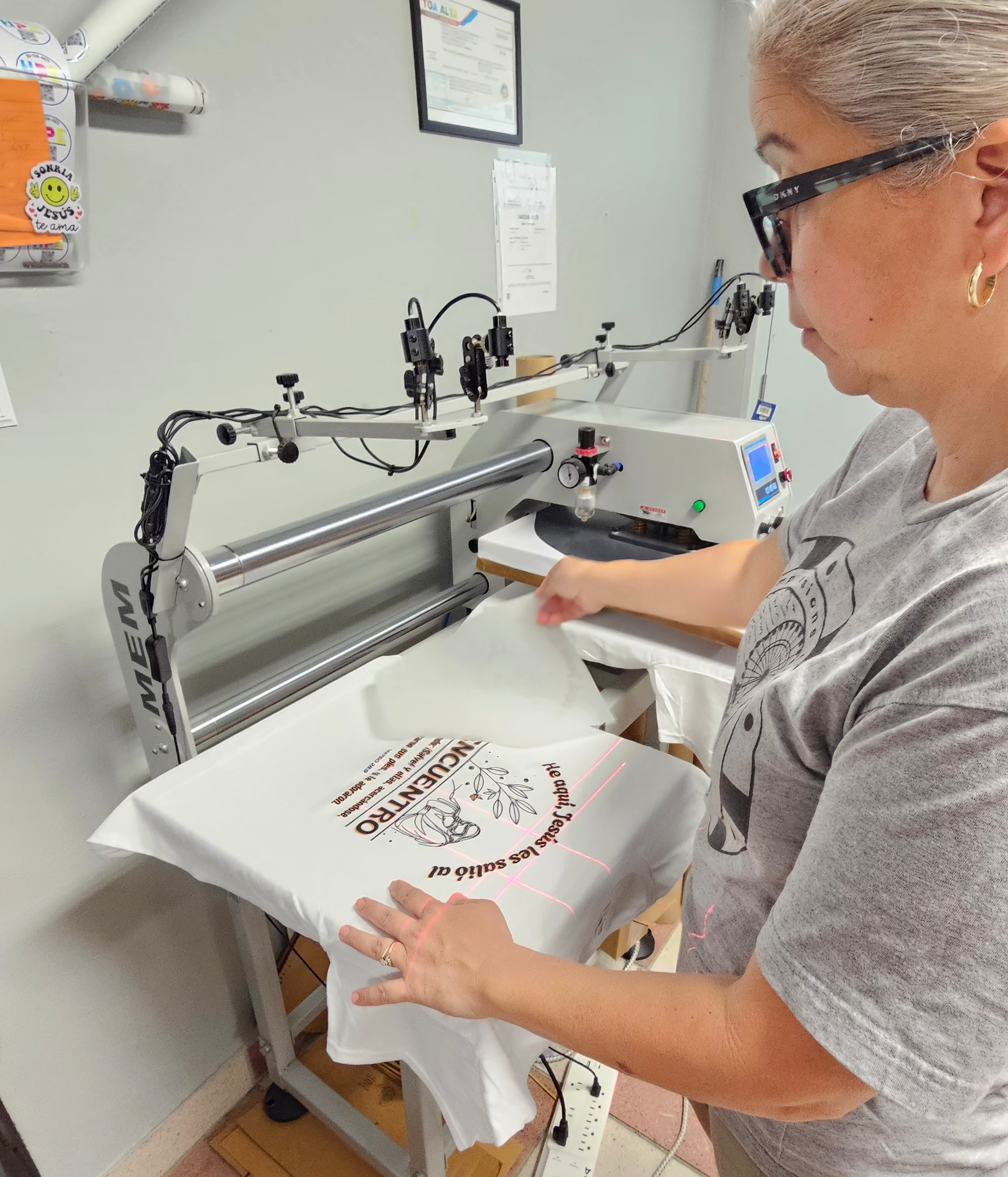
Print smarter. Waste less. Get more.
If you're a decorator, print shop, or apparel brand, you already know the pain of wasted transfer space. Our Gang Sheet Builder lets you pack your designs onto a single sheet — maximizing every inch and cutting your cost per print.
- 🖨️ Build your layout online — no design software needed
- 📐 Available in 25" x 12", 25" x 24", 25" × 36", 25 x 48" and 25" × 72" sheets
- 💰 The more you order, the more you save (volume discounts applied automatically)
- ✅ Perfect whites, sharp lines, rich colors on virtually any fabric
- ⚡ Fast turnaround — built for busy print shops
Before you upload: Make sure your artwork is 300 DPI, CMYK color mode, and free of transparent pixels for the best results.
Ready to stop wasting space and start printing smarter? Build your gang sheet now.
Heat-Press & Application Guide
| Substrate |
Temperature |
Press time |
Pressure |
Peel |
| 100% cotton |
310°F |
15 seconds |
Medium–firm |
Hot or warm |
| Cotton/poly blend |
300°F |
12–15 seconds |
Medium |
Hot or warm |
| 100% polyester |
275°F |
10–12 seconds |
Medium |
Hot or warm |
| Structured hats |
300°F |
50 seconds |
Medium–firm |
Hot or warm |
Structured hats require a cap press. Always test on a sample garment first.
- Pre-press for 3–5 seconds to remove moisture and wrinkles.
- Position the transfer with the printed design against the fabric and the carrier film facing up.
- Press using the settings above for your substrate.
- Peel the film hot or warm, slowly and steadily at a low angle.
- Cover the print with parchment or a Teflon sheet and finish-press for 5 seconds at the same temperature.
Care instructions
Wash inside out in cold water. Tumble dry low. Do not iron directly on the print.